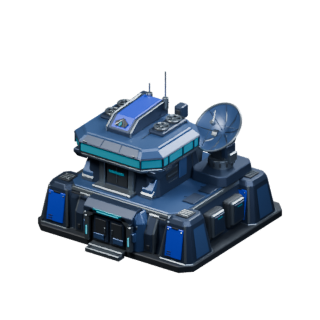
- 01Building art
Existing Reimagined models and illustrations used in the game.
- 02Explanatory diagrams
Authored for this manual using documented mechanics.
- 03Live screenshots
RZ 59 J, captured from the public-address viewer in the production 3D client.
The colony screenshots show existing mainnet state. No build or upgrade was performed for these captures. Simulated-colony media remains withdrawn.
Original Primodium documentation
Historical references, not current player instructions. For help playing, use our guide.
The original team published a game guide covering fleets, cargo, conquest, colony slots, and resource trading. This manual uses those explanations where they agree with the Primodium Reimagined source.
The v0.11.1 release notes describe shard and wormhole scoring and the danger of shard explosions.
What differs on beltwars.fun?
This guide covers the separate beltwars.fun deployment on Base. Its free registration, login, session deposits, and client selector come from the current lobby, not the original account instructions.
Original and Reimagined access the same mainnet colonies with the selected playing wallet. Their layouts differ. The original guide's mouse shortcuts and widget controls should not be assumed to work in Reimagined.
The original conquest text says encryption must fall below zero. The fork's combat code captures the asteroid when encryption reaches zero. We use that rule and leave the decryption amount to the current game panel.
What was checked?
The mainnet World's P_RequiredTile records were read at block 51,359,899: Iron Mine, Copper Mine, and Lithium Mine each require mineral-deposit terrain (value 1). The earlier statement that these mines could use any free tile was incorrect. Simulated-colony screenshots and videos have been withdrawn; future gameplay walkthroughs require actual colony state and verified action results.
Added September 15, 2026:
- Sign-in methods and wallet options, from the lobby's configured sign-in provider (email, Google, wallet; detected browser wallets, MetaMask, Rabby, Phantom, WalletConnect; Base only).
- The counts on the home page: 77 objectives in 12 categories, 7 combat units, the building list, asteroid types and sizes, from the client's own catalogs.
- Session behaviour: commands pipeline, per-system authorization, withdrawal and key export, low-gas warnings.
- Agents chapter: World and entry contract addresses from the deployed client configuration, table and function names from the World ABI and MUD config (124 tables, 87 player functions), the indexer query shape from the client's reader, and the gas figure from a live colony creation.
Reviewed September 14, 2026:
- Public mainnet entry text and the published lobby controls.
- The fork's resource, building, and training configuration.
- Fleet movement, cargo, stances, combat, colony slots, and scoring code.
- The original game guide and v0.11.1 release notes.
Exact deployed gameplay tables were not independently audited. No signed gameplay test was performed for this writing review. Costs, timers, and current availability should be read in the game.
Artwork
The illustrations are existing Reimagined assets. The homepage uses Main Base v28 with its eight original animation clips. Its model file was matched to the asset served by beltwars.fun.
The portraits illustrate game assets; they are not screenshots of a live player account.
Live colony screenshots
The colony and Iron Mine panel show RZ 59 J on Base mainnet, captured from the production 3D client’s public-address viewer on September 15, 2026. The colony snapshot was at indexer block 51,362,427. Numbered markers identify an exposed deposit and an existing mine; the underlying screenshots are unchanged.
The selected Iron Mine was already level III. No building placement, upgrade, wallet connection, or transaction was performed for these screenshots. They illustrate where to look and how to read the panel. They do not document a completed action.
September 2026 edition · Use the game panel for current costs and timers.