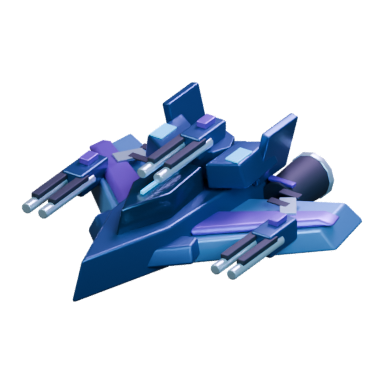
Prepare a fleet
A fleet holds a group of units and its own cargo. Units still in your colony do not travel with it automatically.
- Open Command Center → Transfer. Select your colony on one side and a fleet on the other, or choose Build New Fleet.
- Select a unit or resource and enter the amount. On mobile, tap Move here in the destination inventory; on desktop, click that inventory.
- Check the quantities and cargo, then confirm the transfer. Leave cargo space if you plan to raid.
Your units determine how much cargo the fleet can carry. Adding units adds their cargo capacity; removing them can leave too little room for the current load. A Starmapper increases the number of fleets the asteroid can support.
To transfer cargo, the fleet must have arrived at the receiving asteroid or share an orbit with the other fleet. Cooldowns can block transfers. The receiving colony also needs enough storage.
Travel and inspect
In Starbelt, select the destination, choose Travel, and select the fleet to send. Wait for its arrival before issuing an attack.
Fleet speed is set by its slowest unit. A slow Colony Ship can lengthen the trip even when the rest of the fleet is fast. Following fleets can also slow the group.
Before attacking, inspect the target's owner, units, defenses, and protection. Your fleet must orbit the target asteroid; fleet-versus-fleet attacks require both fleets in the same orbit. Clear an active stance and wait out any attack cooldown first.
Read the combat stats
| Stat | What it means |
|---|---|
| Attack | Damage contributed when the fleet initiates a fight |
| Defense / counterattack | Damage contributed when defending; the label differs by client |
| HP | How much damage the units or asteroid can absorb |
| Cargo | How much the fleet can transport |
| Speed | How quickly its units travel; the slowest sets the fleet's pace |
The attacker wins when its combined attack exceeds the defender's combined defense. A tie goes to the defender. Supporting fleets and asteroid defenses count, so compare the combined totals rather than unit count alone.
A win can still cost units. Check the battle report for casualties, surviving cargo, and the next available attack time.
Raiding
Use a fleet without a Colony Ship when your aim is an asteroid raid. A winning raid takes available resources up to the loot and cargo limits. Vaults protect part of an asteroid's stockpile.
Bring the fleet home and unload it to use the loot for construction. Resources aboard a fleet are not in the colony's stockpile.
Attacking with a fleet removes protection from that fleet and its home asteroid. Check what you are leaving undefended before sending your army away.
Conquest
- Train a Colony Ship at a Shipyard. You need a free colony slot.
- Load it into a fleet with enough combat units to defeat the target.
- Travel to the target and attack after arrival. Winning attacks lower its encryption.
- Repeat after each cooldown until encryption reaches zero. You capture the asteroid and consume the Colony Ship.
Encryption recovers over time. Plan for repeat attacks and their cooldowns; another player may capture a target you have already weakened. The current game panel supplies the decryption amount and timer.
Colony slots
Each owned asteroid and each Colony Ship occupies a slot. Ships in training count too. Buy additional slots through a Shipyard when all are occupied. The slot remains available for future use after its ship is lost or its asteroid is abandoned.
For example, with three slots, one asteroid and one Colony Ship occupy two. You have room for one more ship. Capturing an asteroid with the existing ship replaces its occupied slot with the new colony.
After capture, inspect the new colony's resources and defenses before starting construction.
Fleet stances
| Stance | Purpose |
|---|---|
| Follow | Attach a fleet to another fleet for movement and combat support |
| Defend | Support an asteroid in combat while orbiting it |
| Block | Prevent fleets from departing the asteroid you orbit while the blockade is active |
An active stance can restrict other orders. Clear it before sending a different command. Starting a blockade removes protection from the blockading fleet and its home asteroid.
Alliances help players coordinate and compete in alliance rankings. To contribute a supporting fleet, set the appropriate stance; alliance membership alone is not a fleet order.
Points and special objectives
Primodium-bearing asteroids: hold one for the required time, then claim its points. Claiming starts a new holding interval.
Volatile shards: score through ownership time, but the shard has an expiry. Its explosion destroys orbiting and incoming fleets, and outgoing fleets that have not reached their destination. A retreat must arrive elsewhere before the explosion. Check expiry before sending a fleet.
Wormholes: deposit the currently requested resource through a Wormhole Base you own. The deposit consumes those resources, awards points, and starts a cooldown. The requested resource can change, so check again before depositing.
Leaderboards show player and alliance standings for Shard, Wormhole, and Overall scores. Point values and timers are shown in the current World.
September 2026 edition · Use the game panel for current costs and timers.